NaviRecord
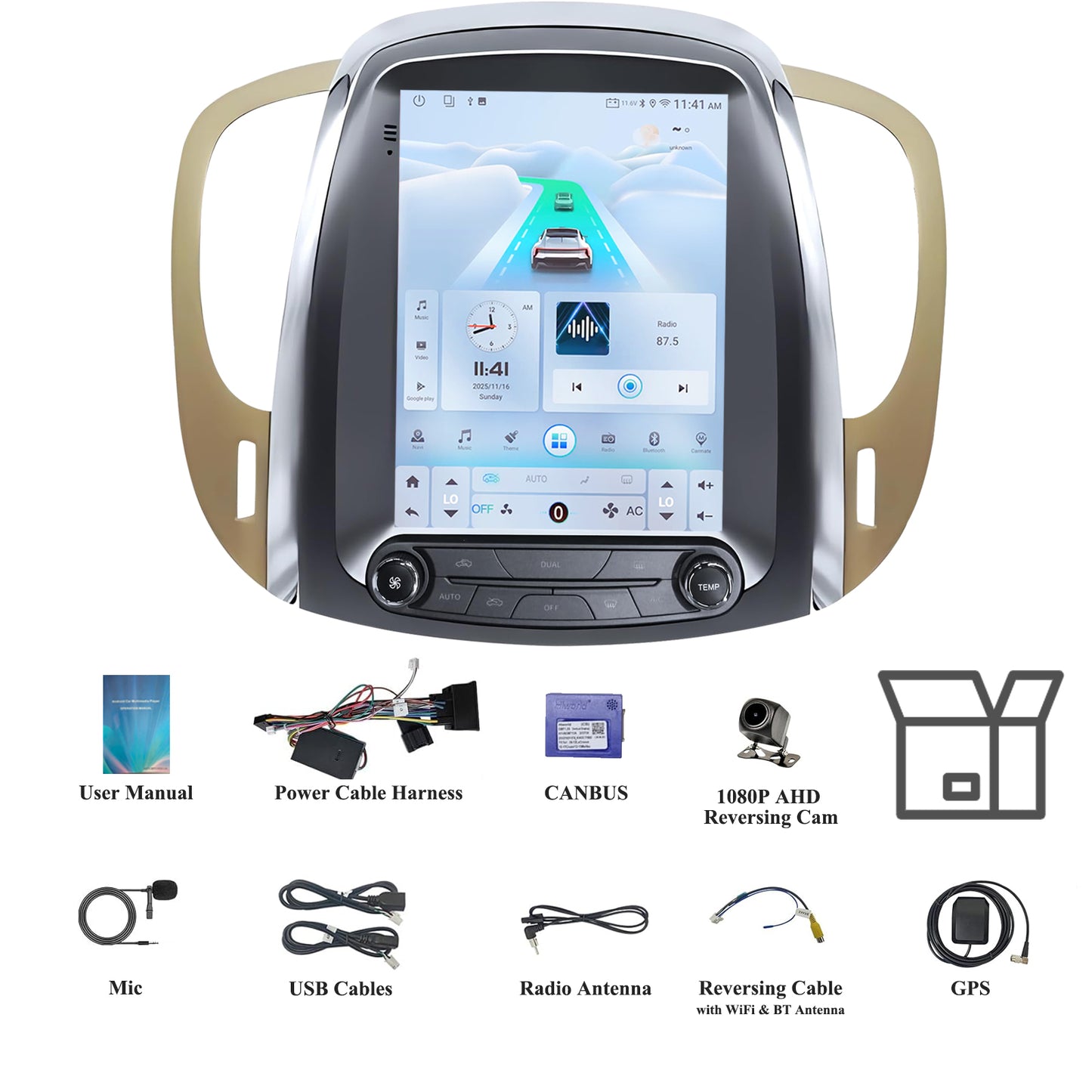
9.7" Android 15 Car Stereo Compatible with Buick Lacrosse 2009 2010 2011 2012 Auto AC, Wireless CarPlay/Android Auto, 4G+64G, GPS, BT, Supprt Steering Wheel Control & Backup Camera
9.7" Android 15 Car Stereo Compatible with Buick Lacrosse 2009 2010 2011 2012 Auto AC, Wireless CarPlay/Android Auto, 4G+64G, GPS, BT, Supprt Steering Wheel Control & Backup Camera
Couldn't load pickup availability
9.7" Android 15 Car Stereo Compatible with Buick Lacrosse 2009 2010 2011 2012 Auto AC, Wireless CarPlay/Android Auto, 4G+64G, GPS, BT, Supprt Steering Wheel Control & Backup Camera
| Brand | NaviRecord |
| Vehicle Service Type | Truck |
| Screen Size | 9.7 Inches |
| Special Feature | Bluetooth |
| Connectivity Technology | Bluetooth |
| Map Type | North America |
| Included Components | Radio Body |
| Audio Output Mode | Digital |
| Mounting Type | Dashboard Mount |
| Operating System | Android |


Q&A
How to Connect Wireless Carplay or Android Auto?
1. Turn on the Bluetooth and WiFi of your phone
2. Pair Bluetooth of your phone with the car radio
3. Open Tlink5 App, it will work.
How to Auto Connect?
1. Click setting of the Tlink5
2. Turn on Background Connection
Steering Wheel Control/AC Control/Seating heat features not work?
If your car has a CANBUS system, please check if the car door information is displayed when the door is opened. Open Settings-Factory Setting (PIN 123456 )-Select your car model. For base car model without CANBUS system, please try to manual learn the steering wheel buttons in the SWC app.
Carplay not work?
1. To use wired Carplay, please use the factory USB cable and connect it to the 6PIN USB cable.
2. To use wireless Carplay, please turn on both WiFi and Bluetooth of your phone, and connect Bluetooth of your phone with our radio. WiFi no need to connect.
3. Please update the Tlink5 App in the Play Store or reach out to us to get an update apk.
Android Auto not work?
1. Please make sure your phone supports Android Auto.
2. If your phone supports Android Auto, please install Android Auto APP or update service from the Play Store before using it.
3. If your phone supports wired Android Auto only, please use the factory USB cable and connect it with the 6PIN USB cable of the radio.
4.To use wireless Android Auto, please turn on WiFi and Bluetooth of your phone, and pair Bluetooth of your phone with the Bluetooth of radio.
5. Please update the Tlink5 App in the Play Store or reach out to us to get an update apk.